Introduction
Filing tax returns is a critical obligation for all individuals and businesses operating in Kenya. The Kenya Revenue Authority (KRA) has significantly simplified this process with the introduction of the iTax platform, an online system that allows taxpayers to file returns conveniently and securely.
This platform is suitable for a variety of taxpayers, including individuals, corporations and not-for-profit organizations.
This guide offers a step-by-step explanation of how to file your KRA tax returns via the iTax platform, ensuring you meet your tax obligations accurately and on time
Step 1: Registration and Login
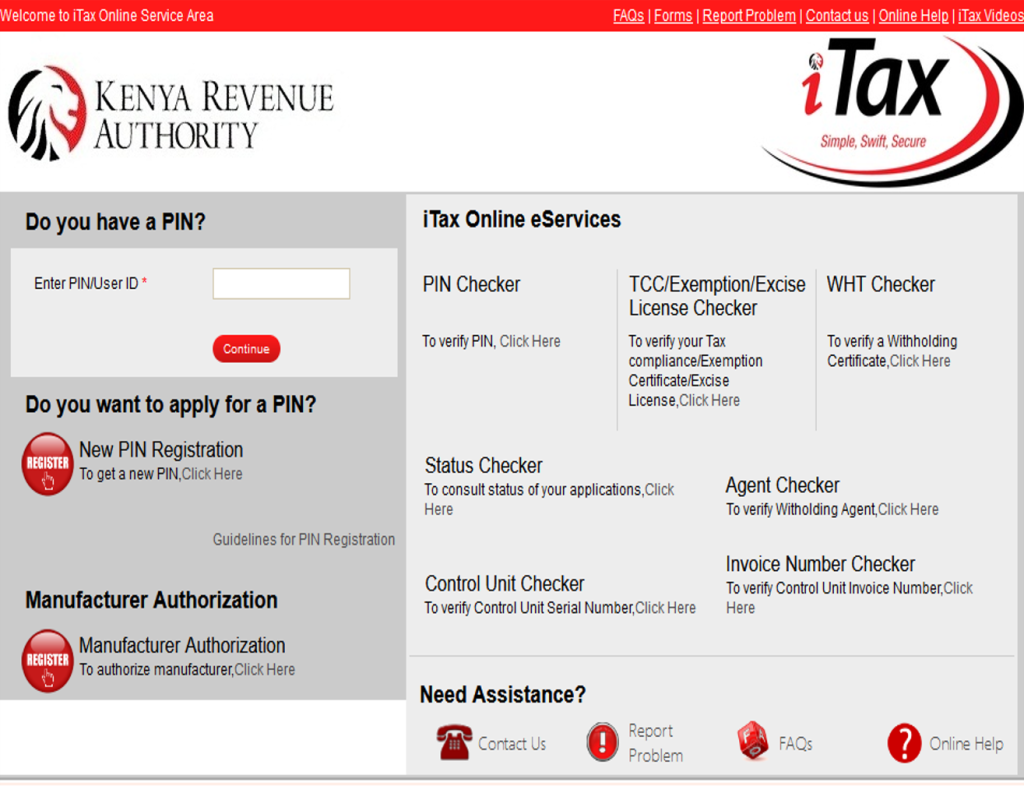
Register on iTax
i. Visit the KRA iTax portal.
ii. If you’re a first-time user, click on “New PIN Registration” and follow the steps to register for a KRA PIN.
iii. For businesses, registration requires additional documentation such as the Certificate of Incorporation or Business Registration Certificate
Step 2: Access the e-Returns Section
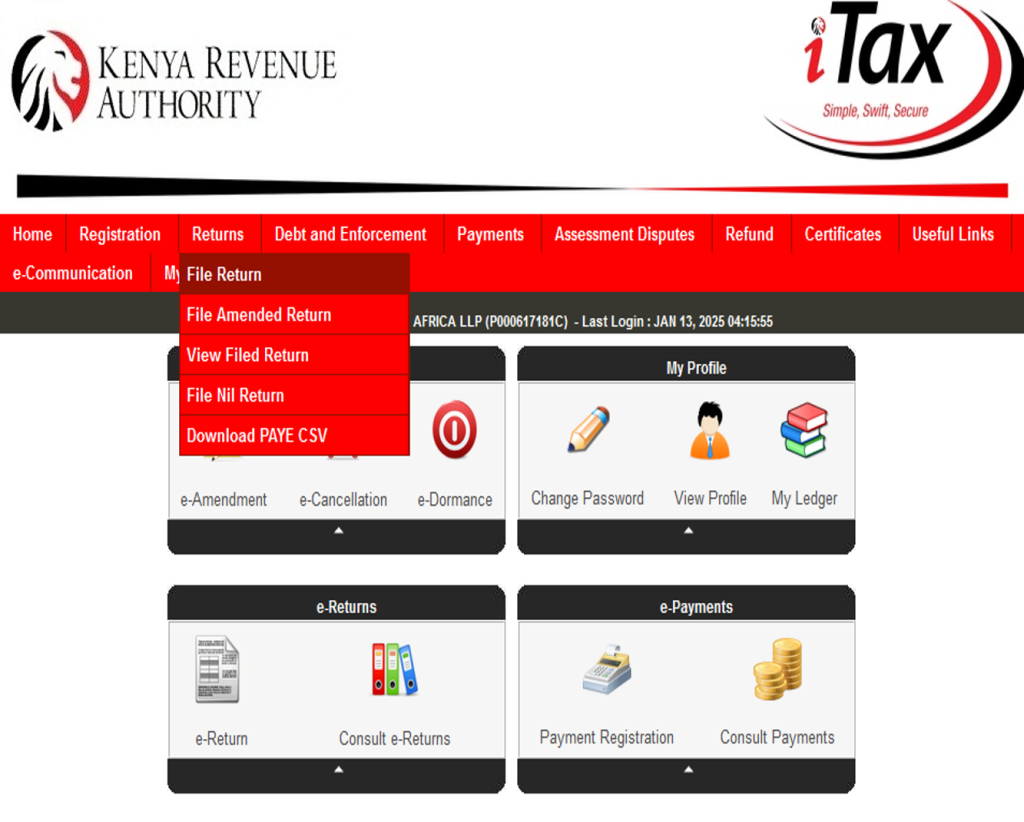
e-Returns Section
i. On your dashboard, locate the **“Returns” tab and click on it.
ii. From the dropdown menu, select “File Return.”
iii. This will redirect you to the e-Returns portal, where you’ll select the type of return you wish to file ie Income tax, VAT, PAYE
Step 3: Choose the Correct Return Type
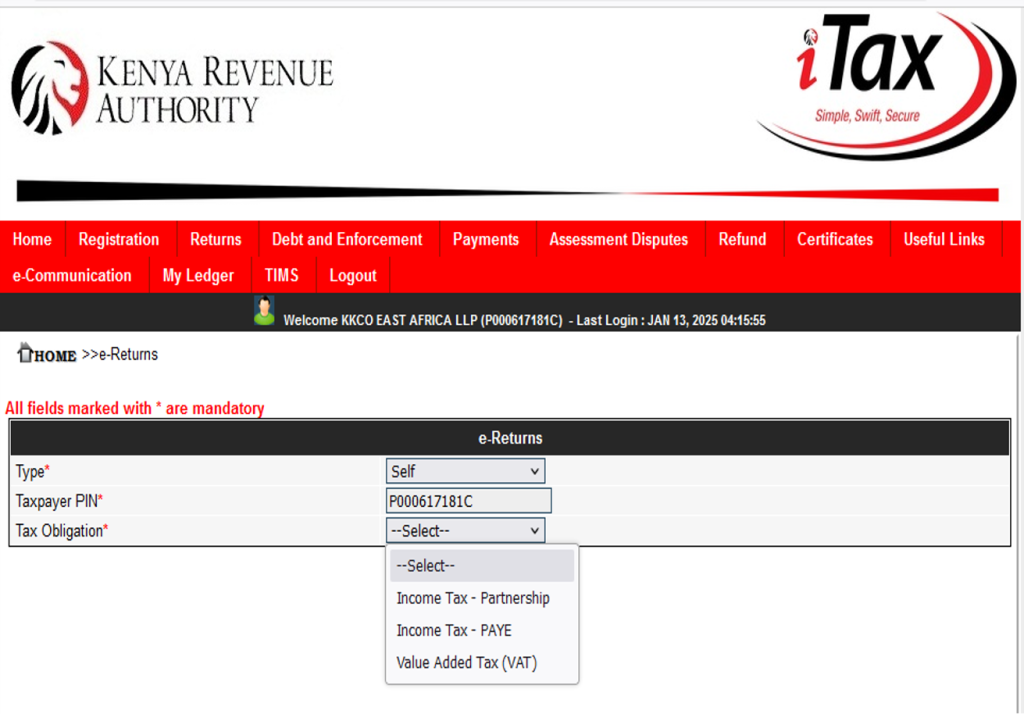
Type of Return
Identify the return type applicable
For Individuals: Select Income Tax Resident Individual or Income Tax Non-Resident Individual.
For Businesses: Choose Income Tax Company or other relevant options such as VAT, PAYE or Partnerships. Click on the appropriate option and proceed to download the required return form IT2c, IT2P or IT1
Step 4: Fill in the Required Information
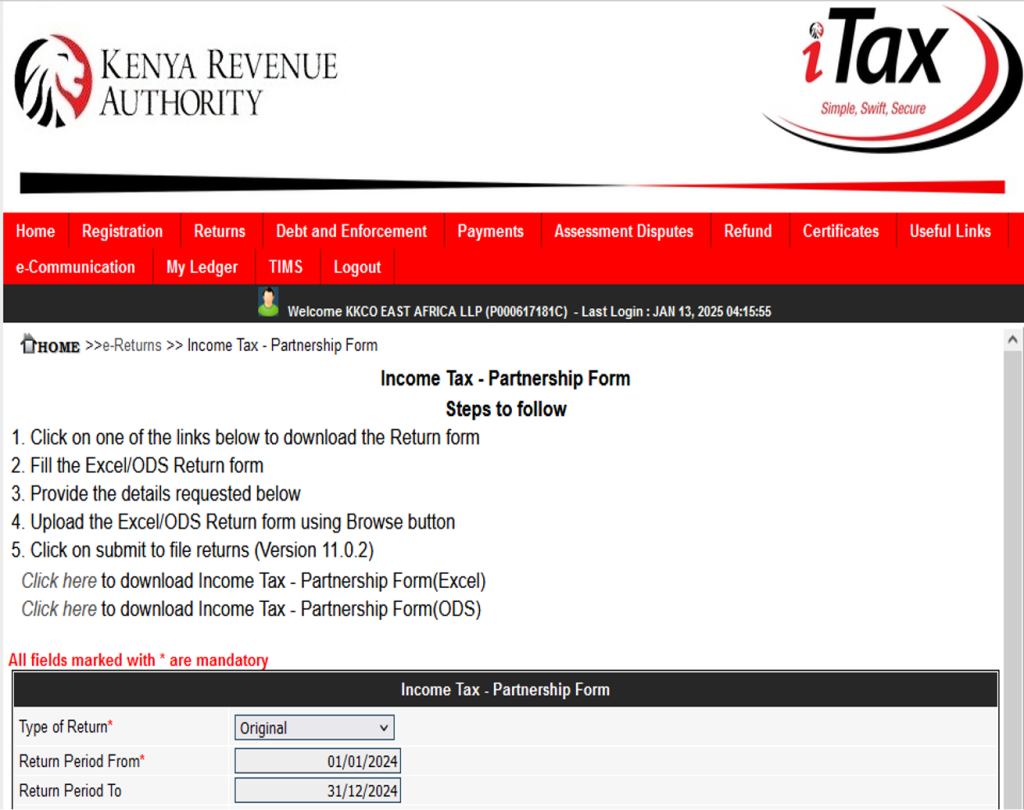
Download the Return Form
The form will be in Excel format, and you’ll need to enable macros to edit it.
Input Your Details
- Under basic Information section: Input KRA PIN, type of return, and return period.
- Under Profit and Loss Section :Declare all income from employment, business, farm, rental, interest or others as separate source of income.
- Under Balance sheet section: Input the assets and liabilities as per the financial and have them balanced
(For Individuals)
- Deductions and Reliefs section: Include allowable deductions such as insurance premiums, pension contributions, mortgage interest and personal relief
Step 5: Review and Submit the Return
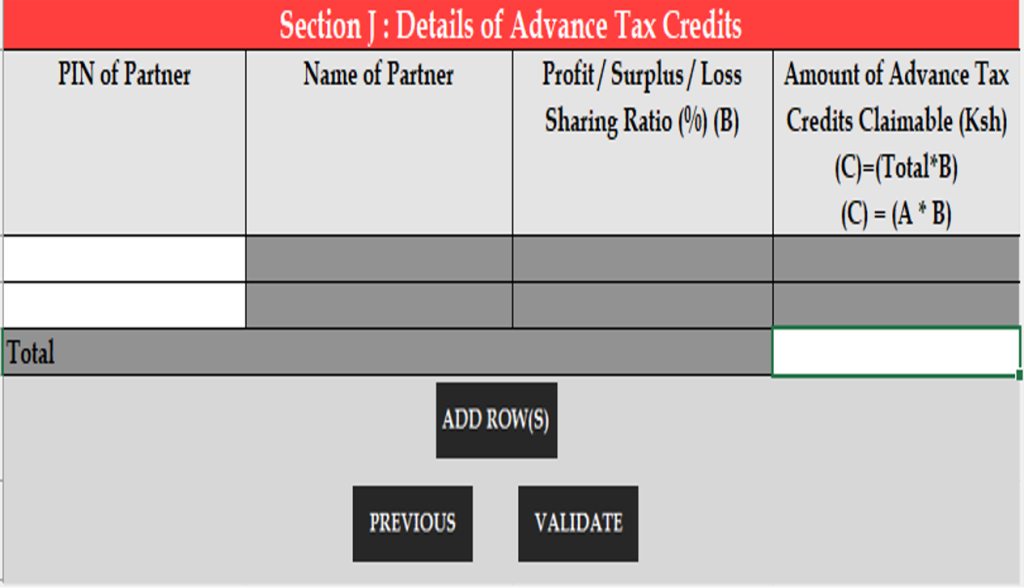
Double-check Entries
Verify all details for accuracy to avoid errors that may lead to penalties.
Validate the Form
Use the “Validate” button within the form to check for errors. This ensures that the form meets KRA’s requirements.
The validated file will be saved as a document as a zipped file ready for upload in itax.
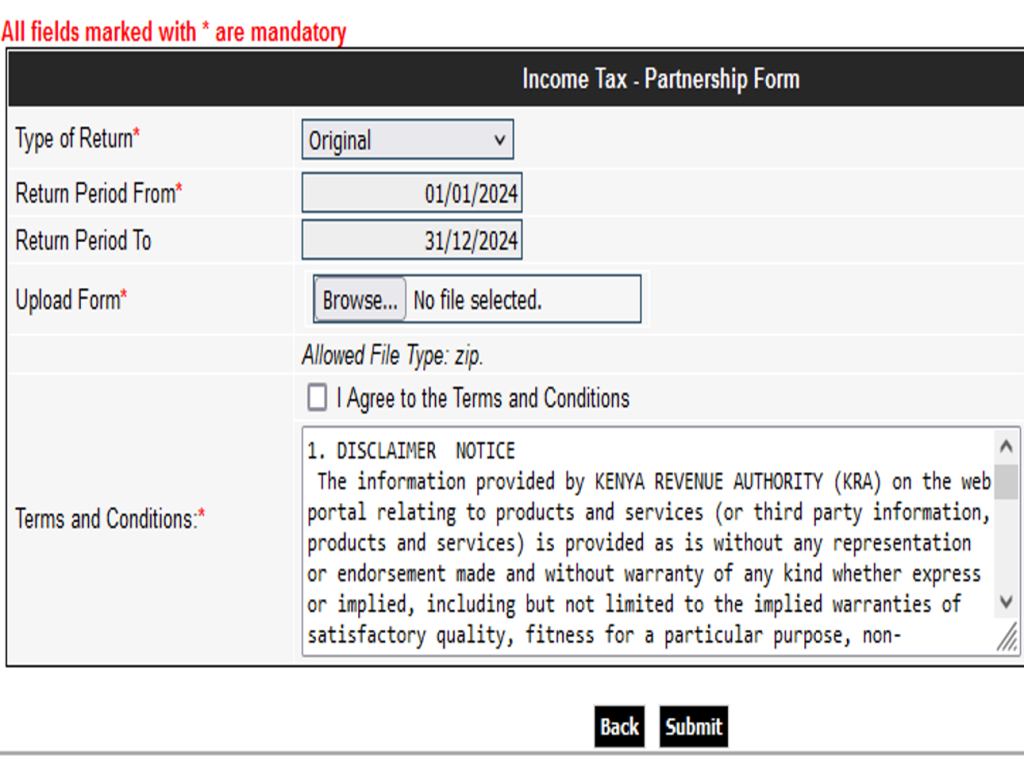
Upload the Form
Return to the iTax portal and upload the validated Excel form.
Submit the Return
Click on “Submit” and wait for a confirmation message
Step 6: Generate the Acknowledgment Receipt (e-Slip)
After submission, an acknowledgment receipt (e-slip) will be ready to be generated.
Download and save the e-slip for your records. It serves as proof of submission and includes details such as the filing date and return type.
Step 7: Payment of Tax (If Applicable)
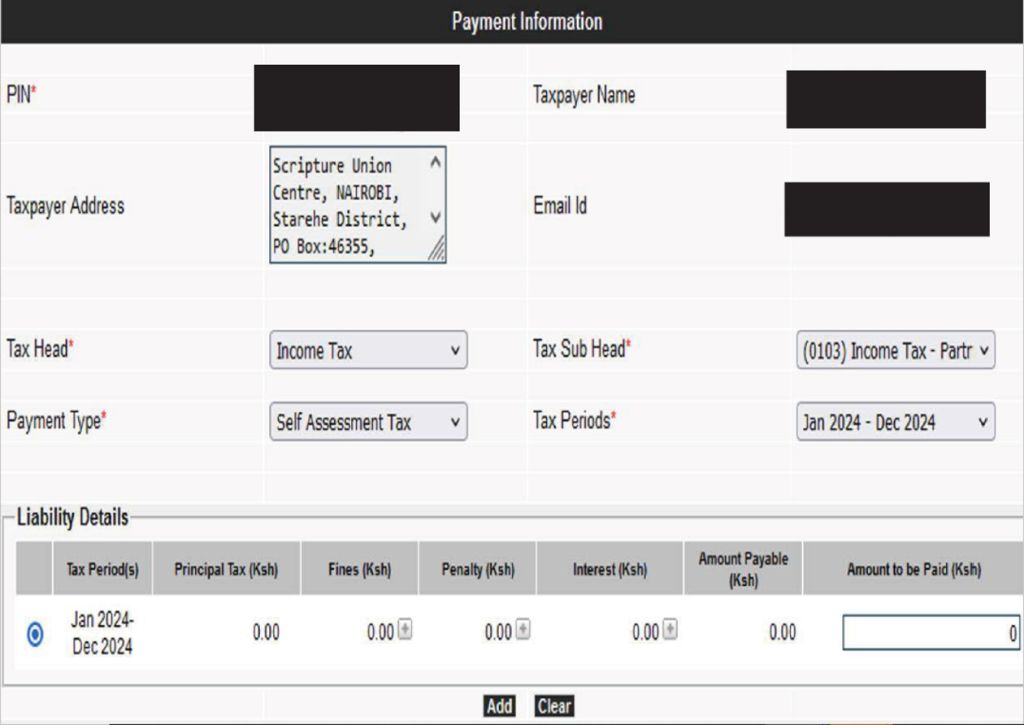
i. Check Your Tax Obligation:
If the return indicates taxes payable, navigate to the “Payments” tab on the iTax portal.
ii. Generate a Payment Slip:
Select the appropriate payment option and generate the slip.
iii. Make Payment:
Pay via available channels such as M-Pesa, bank transfer, or approved KRA agents.
iv. Confirm Payment:
Ensure the payment is reflected on the iTax platform to avoid penalties.
For Individuals: Required documents for filing
a) KRA PIN and password.
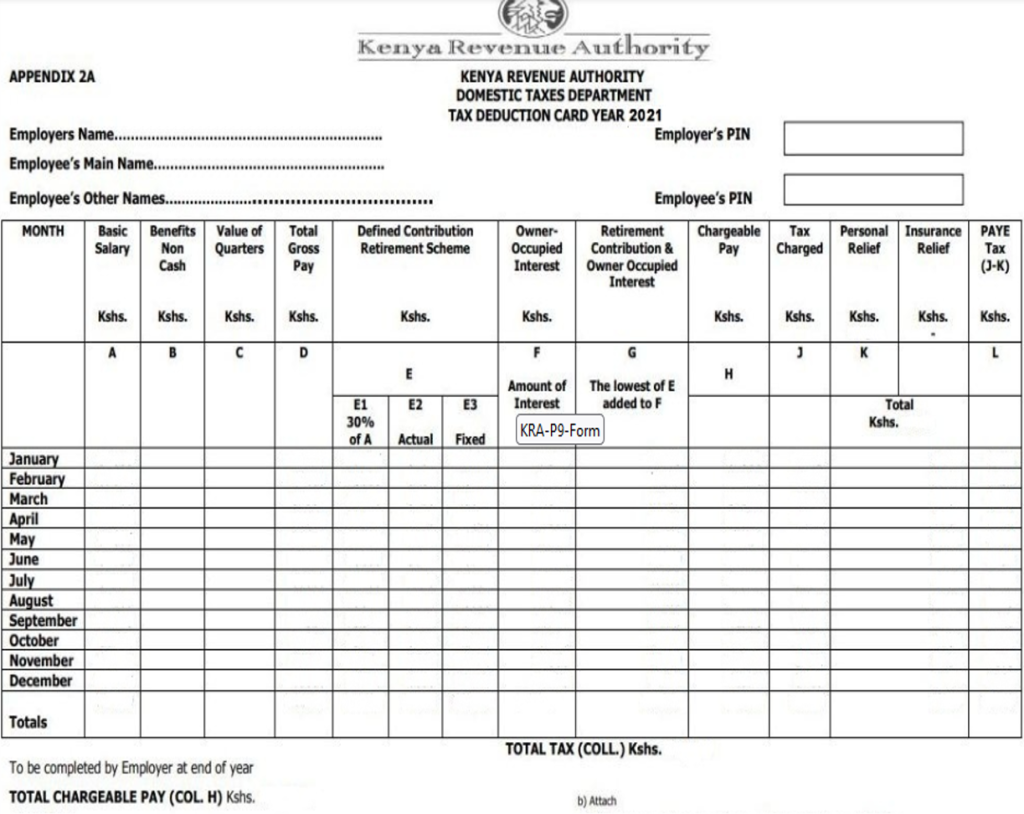
b) P9 Form (provided by employers for PAYE).
c) Records of other income sources (e.g., rental income, dividends).
d) Documentation of allowable deductions (e.g., mortgage interest, insurance premiums).
e) Evidence of tax reliefs (e.g., education policies, disability exemption).
For Corporates: Required documents for filing or tax
a) KRA PIN and password.
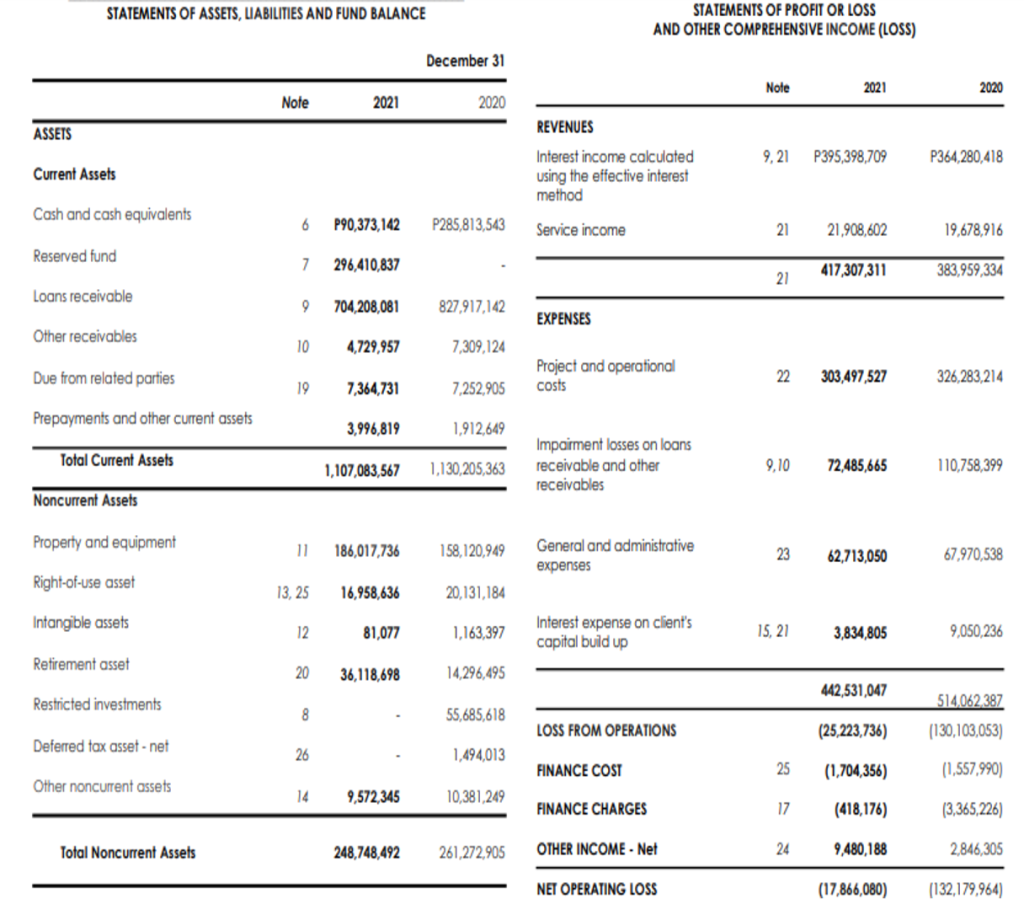
b) Audited Financial statements for the applicable tax year.
c) Tax Computation Sheet.
Required documents for filing:
For Not-for-Profit Organizations
a) KRA PIN and password
b) Audited financial statements for the applicable tax year.
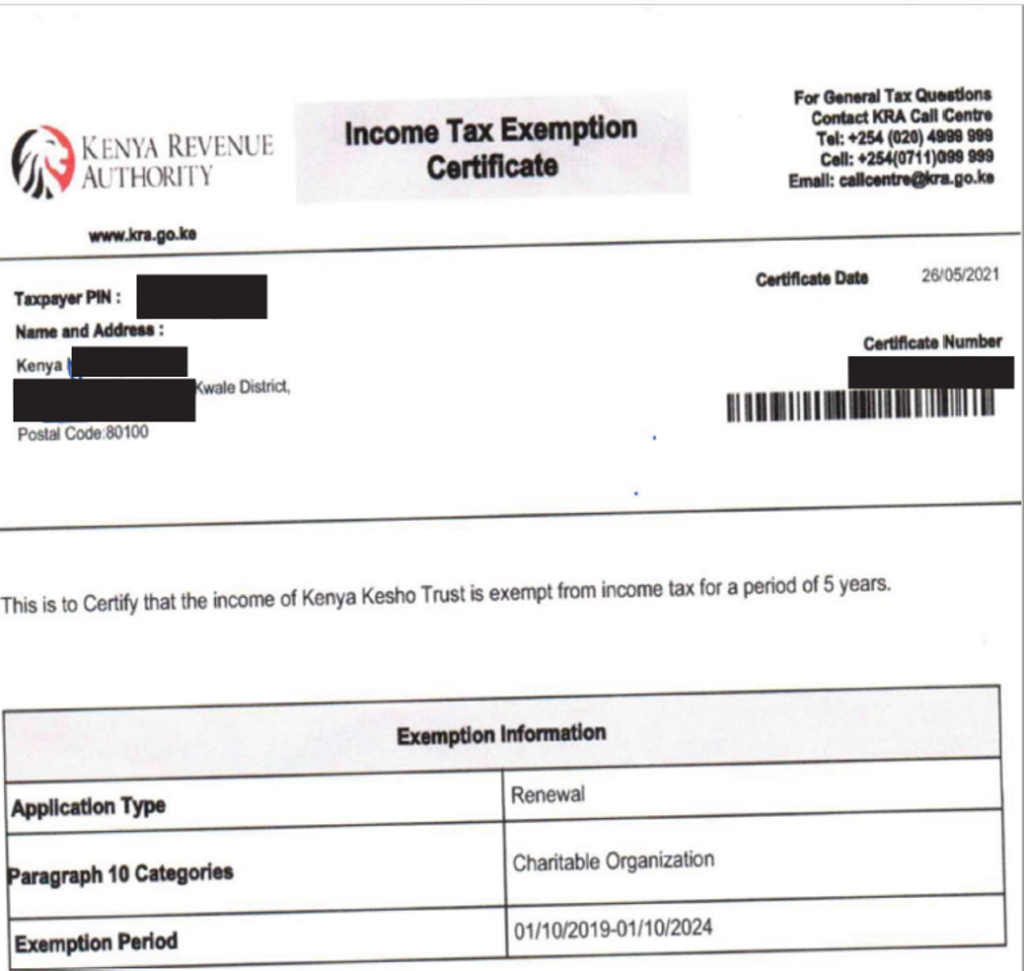
c) Documentation of any tax exemptions granted by KRA.
d) Tax computation sheet where there is other sources of income which are taxable.
For Corporates: Required documents for filing or tax
a)KRA PIN and password.
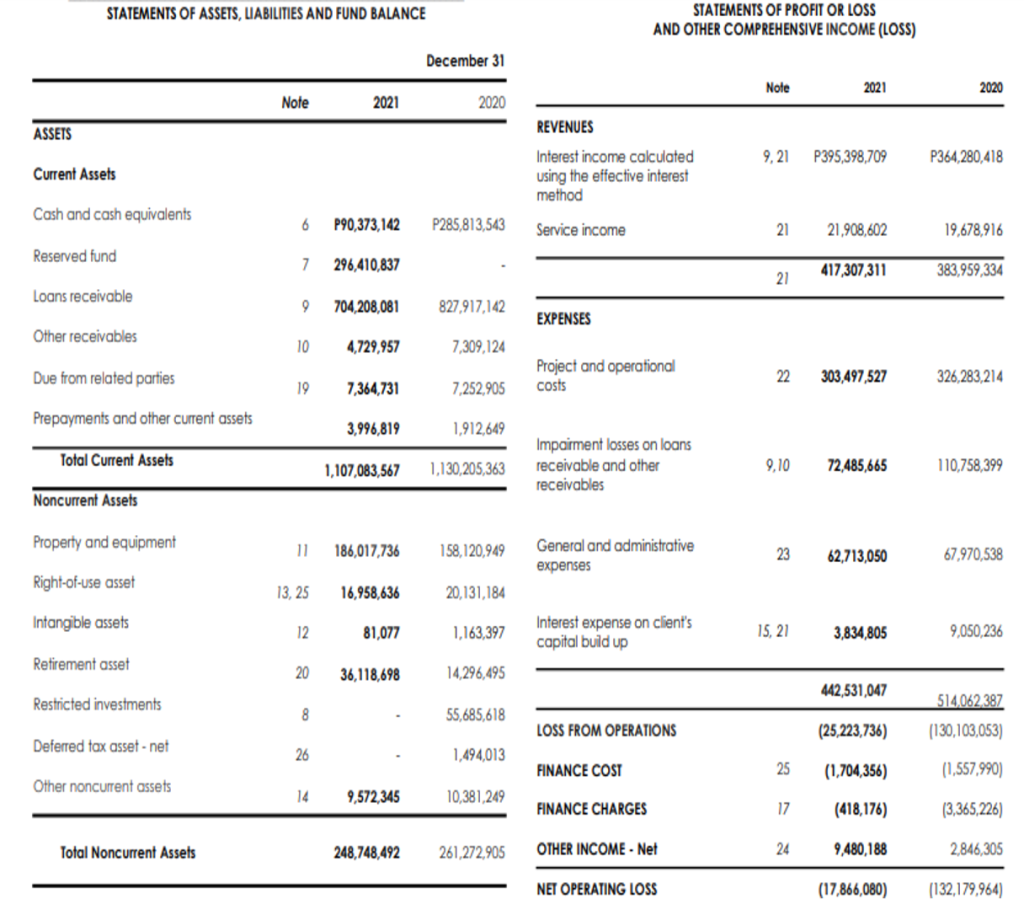
b)Audited Financial statements for the applicable tax year.
c)Tax Computation Sheet.
Key Tips for Smooth Filing

File Early: Avoid last-minute rushes by filing well before the deadline.
Maintain Accurate Records: Keep records of all income and deductible expenses throughout the year.
Seek Assistance: Consult a tax professional like KKCO East Africa LLP for tax service and filing of tax returns.
Conclusion

Filing your returns is one of the tax planning strategies as early and accurately helps taxpayers avoid penalties that results from late filling of returns.
We believe that this article has provided valuable insights on how to navigate the iTax platform seamlessly.
In case of any assistance or clarification on any matter concerning filing returns, please don’t hesitate to contact us through tax.advisory@kkcoeastafrica.com